Instant IDE
How far away is an IDE that runs in the browser? When I first heard the idea, I couldn't imagine how it might work. I got my answer from the Bespin project, for which someone built an Eclipse-based backend. The idea is simple. Only the editor itself runs in the browser. Everything else is sent to the server, either in the background or as commands entered by the user. The server runs the tasks and sends the results back.
To make this possible, Bespin defines a server API, which bridges the client and server. Bespin ships with a Python-based server backend by default, but it's easy to swap it out.
The Eclipse IDE, as you know it, is an OSGi-based application, and is built entirely out of components (called plug-ins or bundles). Many of these components can run headless, on a server, such as the underlying resource model, the incremental Java compiler, etc. Using the headless components, it was very easy to implement the Bespin client-server API.
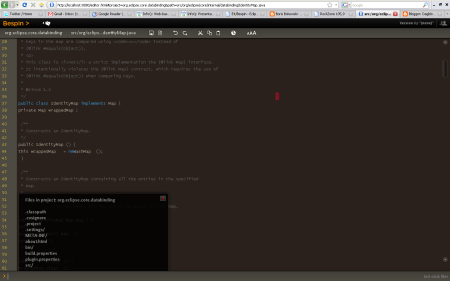
I played for a while with Bespin adapted for editing Java and came away with two strong impressions. The first comes down to “It works!” Compile errors, for example, show up in the editor. The second is that it makes an impressive demo but isn't useful in practice. Yet.
A desktop IDE is light-years ahead in convenience. Of course that's understandable. Desktop IDEs have come a long way, and it's probably generous even to say Bespin is in its infancy. Let's put that aside for a moment and think about what a browser-based IDE could offer. I see several advantages over a conventional desktop IDE.
The first thing that comes to mind is having an IDE wherever there's a web browser. That brings a number of benefits that aren't quite as obvious. We don't have to set up the IDE, check out projects or configure builds on every computer where we work. It's all set up somewhere on the server, and as a developer I don't have to worry about it.
With everything on the server, little things like backups hardly need mentioning. An IDE upgrade would be easy, for example. How often have you needed to make a quick change only for the IDE to decide it needs to free some allocated memory, or for a background task to slow it down? That's no problem when the components run on a server, and cloud computing is an obvious fit. All at once there's no danger of running short of disk space, processing power or memory.
A ready-made environment is another advantage of web IDEs. No downloading Eclipse or Java, no configuring Maven or Ant. Just sign in and you're ready. It's like instant soup: empty it into a cup and add hot water. People often talk about a collaborative use case for web IDEs. You edit a file, say, and your colleague can see exactly what you're doing in their own IDE. It doesn't strike me as a particularly strong case yet, but perhaps social networking will start making its way here too.
Web IDEs have a future, although I don't expect a Java or .NET IDE to compete with today's desktop IDEs anytime soon. I expect a gradual start in dynamic languages and web technologies like Ruby and PHP, where development is considerably simpler than in Java.
Related articles
Related CZ Podcast episodes
- #217 · Ivo Lukačovič
On Windy, JavaScript and building companies. · Czech audio
- #3 · Java 6 SE, Vývoj webových aplikací
Dagi and Filemon discuss Java 6 and web application frameworks. · Czech audio
- #1 · Vývojová prostředí v Javě
The first CZ Podcast episode looks at Java development environments. · Czech audio